

The e-invoice in Morocco: what changes for a small trader
What changes with the e-invoice in Morocco, from the details each invoice must carry to what you can prepare before your turn comes.
Morocco’s tax administration, the DGI, is moving invoices from paper and PDF files to electronic invoices that its platform can read. As a trader, you want to know what the e-invoice in Morocco changes in the way you invoice and what to prepare before your turn comes. The DGI publishes the calendar and the technical rules, so check the dates that apply to your company in its own notices or with your accountant. The rest of this article covers the part that does not depend on the date.
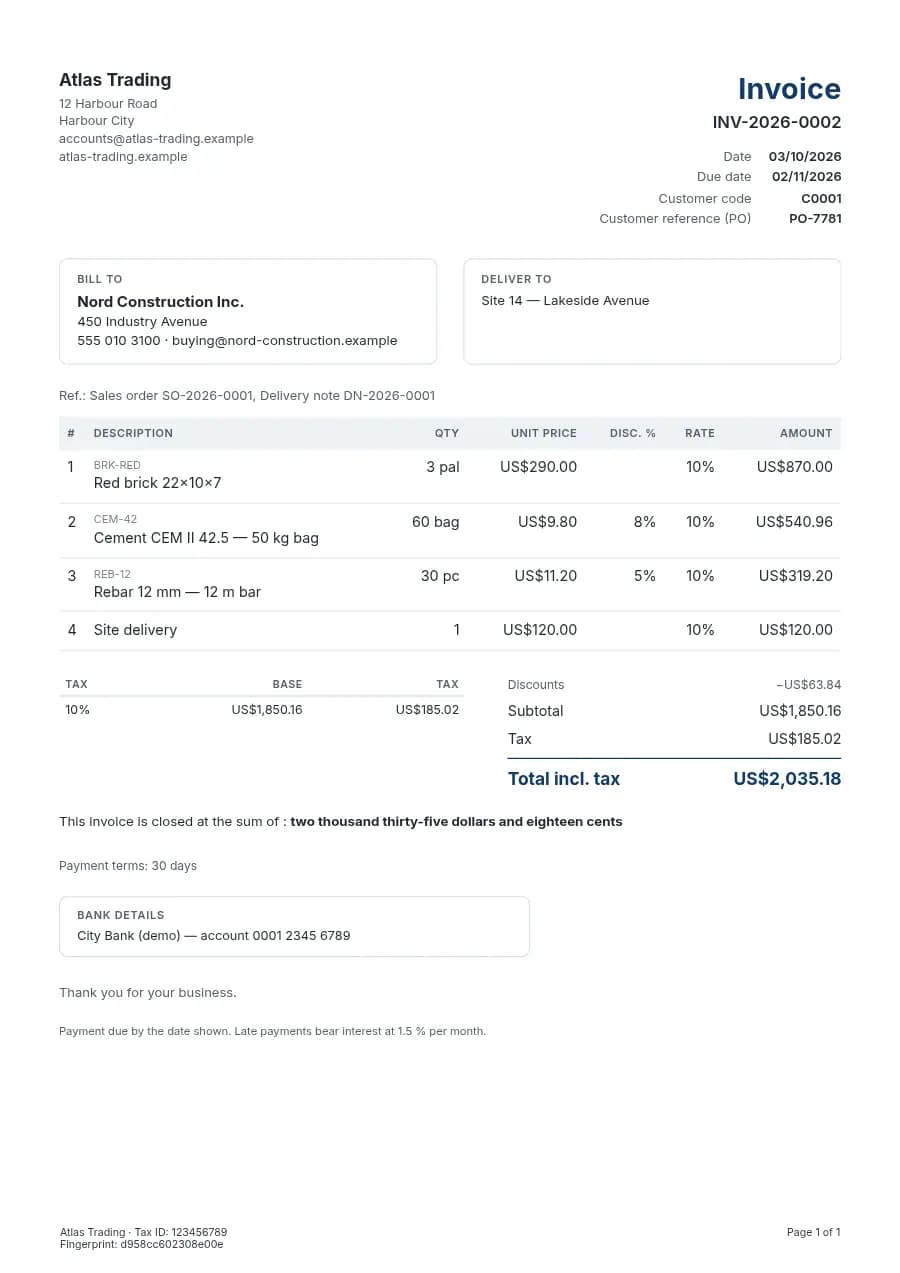
An e-invoice is a structured file in which every piece of information has its own field: who sells, who buys, each line, each tax rate, each total. A PDF sent by email is a picture of an invoice. A person can read it, and a computer cannot. The customer can still receive a PDF to read. For the tax platform, the structured file is the one that counts.
With a structured file, the details on the invoice matter more than before. A Moroccan invoice carries the seller’s legal identifiers: the ICE of 15 digits, the tax identifier (IF) and the trade register number (RC). When the buyer is a business, its ICE belongs on the invoice too. Many invoices today leave the buyer’s ICE blank, or carry it with a digit missing. The structured file makes that visible at once, and an invoice with missing legal details cannot be sent as it is.
Sent when issued, kept unchanged for years
The invoice also reaches the administration in a new way. In a clearance model, the invoice is sent to the tax platform when it is issued, and the platform accepts or refuses it. A refused invoice comes back with the platform’s message, and it has to be corrected and sent again. For a trader, this means mistakes are found the same day. Without the platform, they could wait months for a check to find them.
Keeping invoices changes as well. An invoice has to stay exactly as it was issued for years. With paper, that means boxes. With files, it means a copy that nobody can change, and a way to show that it was not changed. A common way is to store each file once, with a fingerprint computed from its content. If the file is touched, the fingerprint no longer matches.
Five things to prepare now
None of this is hard, and it goes better when it is prepared before the date. Collect the ICE of every business customer, and check that it has 15 digits. Make sure your own ICE, IF and RC are written the same way everywhere. Clean your product list so that each product carries the right tax rate. Use one numbering series without gaps for invoices, and another for credit notes. Make every credit note point to the invoice it corrects, and never issue a separate negative invoice.
Corrections change too. On paper, a wrong invoice is sometimes torn up and printed again under the same number. With e-invoices that is no longer possible. Once an invoice is issued, it stays, and a mistake is corrected with a credit note that refers to it, followed by a new invoice if needed. It feels heavier at first. The history stays clean, and the customer, the accountant and the administration see the same sequence of documents. Nobody has to explain a gap in the numbers.
Getting the details right also saves a second round with your customers. A business customer’s accountant can send back an invoice that lacks the buyer’s ICE or shows the wrong tax rate, and the invoice then waits until a corrected one arrives. When the details are checked before the invoice leaves, that round trip does not happen.
Change one habit as well. Make each invoice from the order or the delivery note, so nobody types it again. When the quote, the order, the delivery note and the invoice are one chain, the customer’s identifiers, the prices and the taxes are entered once. Most of the missing details today come from an invoice typed from scratch at the end of the month.
sahmrev Commerce builds the structured file today
In sahmrev Commerce, every invoice and credit note can be produced as a structured file in the UBL 2.1 format, on the European EN 16931 core, with the Moroccan identifiers in their own fields. Next to it, Commerce keeps an archive copy in PDF/A-3, the printed invoice with the structured file attached inside it. The archive is written once, and its fingerprint is checked every time the file is downloaded.
Before an invoice is issued, a readiness checklist looks at what the platform will need: the seller’s ICE of 15 digits, the IF and the RC, and the buyer’s ICE for business customers. E-invoicing has three modes, which the company chooses: off, a structured copy with the archive, or sending to the tax platform. The connection to the DGI platform is built and switches on when access is opened. Until then, invoices are archived and wait to be sent. We do not call any of this compliant before the DGI publishes its final rules and opens access.
E-invoicing is an option of sahmrev Commerce, switched on for each company. The Commerce page shows the whole chain from the quote to the paid invoice, and the building materials page shows how a supplier that sells to builders keeps the site and the customer’s details on every document. The live demo lets you issue an invoice and see the details it carries.
Common questions
- Is a PDF sent by email an e-invoice?
- No. An e-invoice is a structured file that the tax platform can read field by field. The customer can still receive a PDF next to it.
- Which details must my invoices carry?
- Your ICE of 15 digits, your IF and your RC, and the buyer’s ICE when the buyer is a business. Check the full list with your accountant, as the DGI’s rules may add to it.
- What happens when the tax platform refuses an invoice?
- The invoice comes back with the platform’s message. It has to be corrected and sent again. In sahmrev Commerce, the message shows on the invoice.
- Can sahmrev Commerce send my invoices to the DGI today?
- It produces the structured file and the archive today. Sending to the DGI platform is built and switches on when the DGI opens access; until then, invoices are archived and wait to be sent.